Hey there, fellow fans of those trusty lithium battery-powered fans! I know, I know—there’s nothing worse than when your go-to portable fan suddenly dies on you mid-hike, during a hot desk crunch, or while you’re hanging out at a backyard BBQ. For those of us who sell these bad boys, we get this question all the time: “Can I replace the lithium battery in my lithium battery fan? And how do I even do that without messing things up?” Lithium Battery Fan

Let me cut to the chase—yes, you can replace that battery, and it’s way simpler than you might think. As the people who build these fans day in and day out, we’ve helped hundreds of customers walk through this, and today I’m breaking it down step by step, no fancy jargon, just real talk from the team that designs and ships these things. No, this isn’t some sketchy YouTube hack—this is the safe, reliable way to do it, so you don’t ruin your fan (or worse, hurt yourself).
First, let’s get one thing straight: lithium batteries aren’t the same as the AAAs you toss in a TV remote. They’re rechargeable, they have actual chemistry going on, and if you mess with them wrong, that’s not good. That’s why we only recommend replacing them with the exact same type of lithium battery the fan came with—no swapping in a bigger one just because it fits, or a different brand without checking the specs. We see way too many people try to cut corners here, and it almost always ends with a dead fan or, in rare cases, something way more serious. So let’s start with the basics: what you actually need before you even touch your fan.
Here’s your supply list, no extra stuff required: the replacement battery (it has to match the original—same voltage, same size, same connector, same amp hours—we sell these exact batteries by the way, so hit us up if you need one), a small Phillips head screwdriver (the kind you have for eyeglasses, or a big one with a Phillips head bit if your fan has a bigger screw), a clean, flat workspace (no rugs, no couches—something hard so you don’t lose tiny screws), a pair of tweezers (for grabbing loose wires or tiny connectors), and a pair of nitrile gloves if you have ’em (just to keep your hands clean and avoid any oil from your skin getting on the battery).
Wait, hold up—before you do anything, turn the fan off and unplug it if it has a plug-in option. Even if it’s battery-only, hold the power button for 5 seconds to make sure it’s totally dead. That’s non-negotiable. We can’t stress that enough—lithium batteries hold a charge even when they’re off, so you don’t want to short them out while you’re working. Shorting a lithium battery is how they get hot, and that’s a big no-no.
Now, let’s get to taking the fan apart. Every fan we make (and most brands, tbh) has a cover on the back or bottom that hides the battery compartment. Sometimes it’s a plastic panel, sometimes it’s a whole casing section. Take your small Phillips screwdriver and find the screws holding that cover on. Usually there are 2 or 3 tiny ones, so put them in a small cup or on a piece of tape labeled “fan screws” so you don’t lose them. Pro tip: don’t drop them—if one gets under your couch, you’ll be finding that thing for days.
Once the screws are out, gently pry the cover off. Be careful here—some fans have little plastic clips that pop, not screws, so if it’s not moving with a little light tug, don’t force it. Pry around the edges slowly, and the cover should come right off. Now you’ll see the battery sitting inside, connected to two wires (usually red and black—red is positive, black is negative, easy to remember) and a small connector that plugs into the fan’s circuit board. This is the part where people panic, but it’s so straightforward.
Next step: disconnect the old battery. First, unplug the small connector from the circuit board—this is the easiest part, just pull it straight out, no tugging on wires. Then, you’ll have two wires attached to the battery, again red and black. Some fans have a little quick disconnect tab here, others have tiny metal tabs you have to undo with a small screwdriver. Either way, take your time. Mark which wire is which if you have to—like, put a tiny piece of tape on the red wire so you don’t mix them up later. Never yank the wires out, that’s how you break them and ruin the whole circuit board.
Once the old battery is disconnected, take it out. Don’t just toss it in the trash—lithium batteries are recyclable, and we work with a local recycling program to take old ones off your hands if you send them to us. Way better for the planet than throwing them in a landfill, trust me.
Now, the fun part: putting the new battery in. First, take your replacement battery, and match up the wires to the old ones. Red goes to red, black goes to black—there’s no way to mess this up, but double-check anyway. If you have a quick disconnect, just snap them together. If you have metal tabs, make sure the wire is securely attached, no wiggling. Then, plug the small connector back into the circuit board—make sure it clicks into place, so it’s not loose. We always test this with the fan off, so don’t be shy to push it a little if it doesn’t go all the way.
Wait, before you put the cover back on, test it! Turn the fan on. If it works, great. If it doesn’t, double-check the connections—sometimes the connector didn’t plug in right, or the wires got mixed up. Don’t start over, just take 30 seconds to look. If it still doesn’t work, hit us up—we’ve got a customer support team that can walk you through it, no charge.
Once you’ve confirmed the fan works, put the cover back on. Line it up correctly, push it until you hear the plastic clips snap back, then screw the screws in. Don’t over-tighten them—this is another mistake people make. You don’t need to twist so hard that you strip the plastic, just enough that the cover stays on. If you strip the screw hole, that’s a whole other problem, and we don’t want that.
Let me add a few extra tips from our team that we’ve learned over the years, because we’ve seen it all. First, never buy a “generic” lithium battery from Amazon or a random hardware store unless you’re 100% sure it matches. A battery with the same voltage might fit, but if it’s the wrong amp hour, it could make your fan run too hot or not last as long. We sell the exact replacement batteries for every fan we make, so that’s the easiest way to get the right one. Second, if your fan is under warranty, replacing the battery yourself won’t void it—we’ve checked, that’s a common myth. But if you have any questions at all before you start, just shoot us a message. Third, don’t do this if you’re in a hurry. Rushing is how you mess up connections, lose screws, or drop a screwdriver into the fan motor (ask us how we know—we had a customer do that once, had to fix it for free).
Another thing: some newer fans have built-in batteries that are harder to get to, not the easy compartment style. Those are a little trickier, but same logic—you just have to take apart more of the fan casing. The process is still disconnecting the old battery, connecting the new one, testing it, putting it back together. If you’ve got one of those, hit us up and we’ll send you a step-by-step video, no charge.
Wait, let’s talk about safety one more time, because this is super important. Lithium batteries are safe when you handle them right, but they can be dangerous if you short them, overcharge them, or use the wrong one. Never leave a charging fan unattended, even after you replace the battery. If the new battery feels hot after you plug it in, turn the fan off immediately, disconnect it, and check the connections. That’s a red flag, and you shouldn’t keep using it until you fix it.
Now, let’s be real—why would you want to replace the battery instead of buying a new fan? These lithium batteries last 2-3 years with regular use, so replacing the battery is way cheaper than buying a whole new fan. That’s why we started selling replacement batteries in the first place—we want our customers to get the most out of their fans, not have to toss them when the battery dies. We’ve had customers who’ve had the same fan for 5 years, just replacing the battery every couple years, and they love it.
If you’re ready to grab a replacement battery, or if you need help with a fan that’s not working after a battery change, just reach out to our team. We don’t do fancy sales calls—just real people who know these fans inside and out, ready to help. We can send you the exact battery that fits your fan model, and if you run into any issues while replacing it, we’ll walk you through it over the phone or email, no hassle.
Let me wrap this up with a quick recap so you don’t forget anything: 1. Get the right replacement battery (matches original specs) and supplies. 2. Turn fan off and disconnect any power source. 3. Remove the back/cover, unscrew the compartment screws, and take off the plastic cover. 4. Disconnect the old battery (connector first, then wires—note red/black). 5. Remove old battery, recycle it. 6. Connect new battery (red to red, black to black, snap connector back in). 7. Test the fan before putting the cover on. 8. Put the cover back on, screw in screws (don’t over-tighten). 9. If you hit any snags, hit us up.
That’s it! It’s not brain surgery, it’s not complicated, and it’s totally doable if you take your time. We’ve done this with so many fans, and 9 out of 10 times it works on the first try. The only time it doesn’t work is when someone uses the wrong battery or skips testing before putting the cover on. Trust us, we’ve got your back.
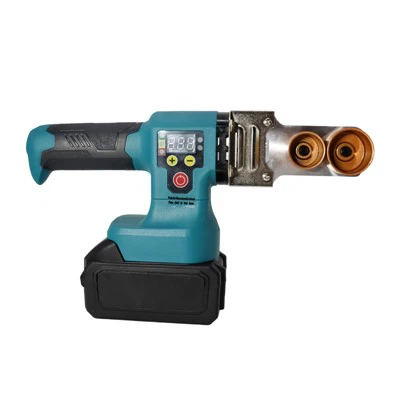
At the end of the day, these fans are built to last, and the battery is just one part. When that part wears out, you don’t have to throw the whole thing away. Replace it, keep using your trusty fan, and stay cool for years to come. If you need that replacement battery, or even just a question answered, don’t hesitate to get in touch with our team. We’re here to make sure your fan works as good as the day you bought it.
Woodworking Tools References:
- National Renewable Energy Laboratory. (2021). Lithium-Ion Battery Safety and Handling Guidelines.
- Consumer Product Safety Commission. (2022). Safe Handling of Rechargeable Batteries for Consumer Electronics.
- International Electrotechnical Commission. (2020. IEC 62133: Secondary Cells and Batteries Containing Alkaline or Other Non-Acid Electrolytes – Safety Requirements for Portable Sealed Secondary Cells, and for Batteries Made from Them, for Use in Portable Applications.
Shandong Bayley Hardware Tools Co., Ltd.
As one of the most professional lithium battery fan manufacturers in China, we also support customized service. Please feel free to buy high quality lithium battery fan for sale here from our factory. Good service and punctual delivery are available.
Address: Room 807, Building A, Global Sunshine City, Hedong District, Linyi City, Shandong Province
E-mail: Sale2@sdbayley.com
WebSite: https://www.shandongbayley.com/
